AI Meeting Notes: Stop Taking Meeting Minutes Manually. Do It with AI

TL;DR
AI meeting notes tools help businesses reduce manual note-taking and keep meeting information organised.
→ Summarise long discussions into clear notes.
→ Capture important decisions and action items.
→ Identify tasks, owners, and deadlines when mentioned.
→ Help teams save time and follow up faster.
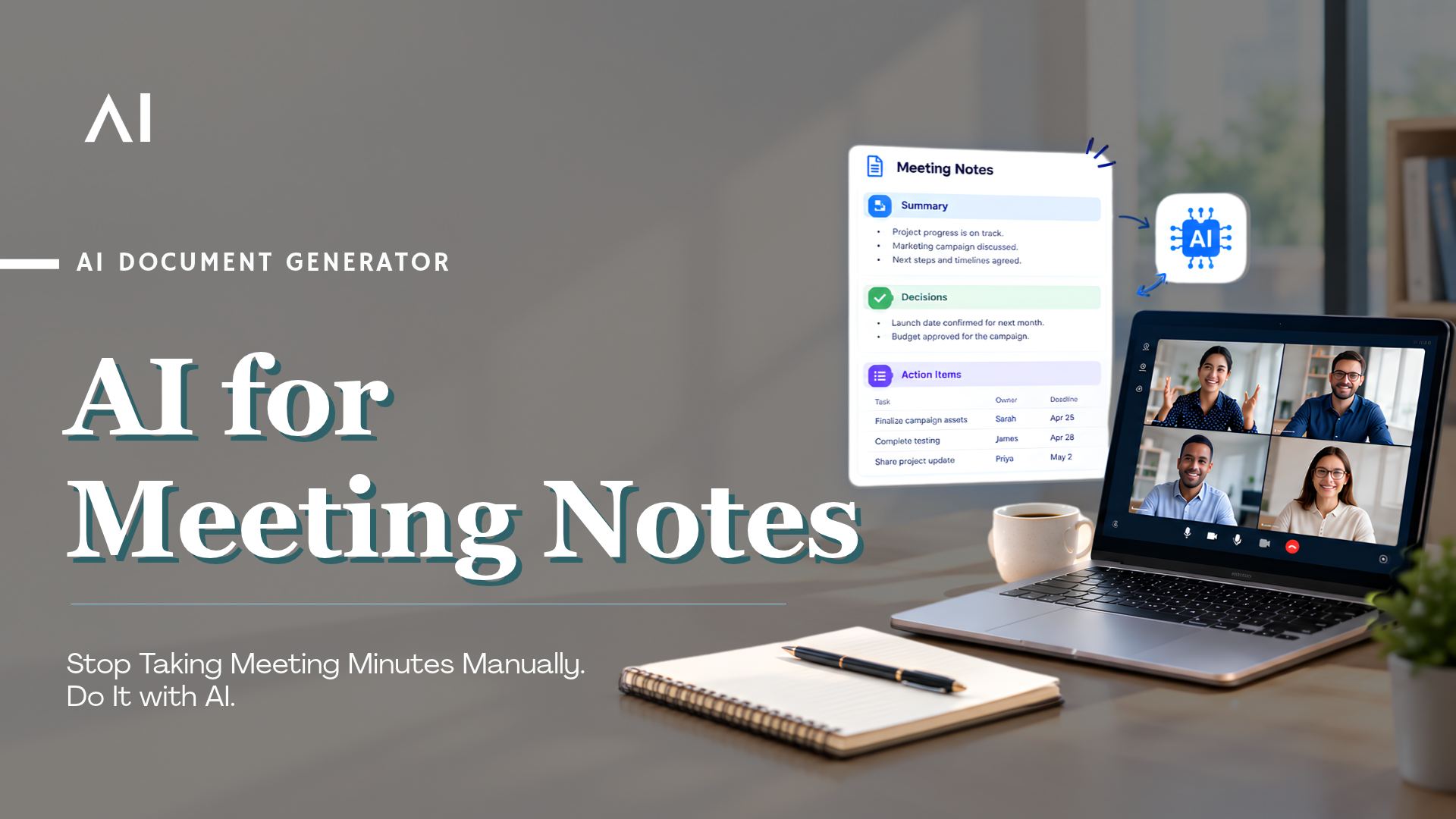
Meetings help teams share ideas, solve problems, and make decisions. But writing meeting notes takes time. Someone has to capture the main points, record decisions, and track what needs to happen next.
When employees focus on taking notes, they may miss important parts of the discussion. After the meeting, they may also spend more time organising notes and sending follow-ups.
AI meeting notes tools can make this process easier. They turn meeting discussions into clear summaries, capture key decisions, and identify action items.
What Are AI Meeting Notes?
AI meeting notes are summaries of meetings created with the help of artificial intelligence.
Instead of writing every point manually, employees can use AI to process a meeting transcript and organise the information into a useful format.
AI-generated meeting notes can include:
→ Key discussion points: The main topics covered during the meeting.
→ Decisions: Agreements and conclusions reached by the team.
→ Action items: Tasks that need to be completed after the meeting.
→ Task owners: The people responsible for specific tasks, when identified.
→ Next steps: Follow-up work and deadlines discussed during the meeting.
The goal is to turn a long conversation into clear information that teams can review and act on.
How Does an AI Meeting Notes Generator Work?
An AI meeting notes generator processes meeting discussions and turns them into structured notes.
1. Capture the Meeting
The tool accesses the meeting through a supported platform, recording, or transcript.
2. Process the Discussion
AI analyses the conversation to identify key topics, decisions, questions, and tasks.
3. Generate Meeting Notes
The tool creates a structured summary with the main discussion points and important details.
4. Identify Decisions and Action Items
AI highlights decisions, follow-up tasks, and deadlines when they are mentioned in the conversation.
5. Review and Share the Notes
Employees review the generated notes, correct any mistakes, and share them with the relevant team members.
This process reduces manual work while keeping important meeting information available for future reference.
Why Should Businesses Stop Taking Meeting Notes Manually?
Manual note-taking can become difficult when employees attend several meetings every day. Important details may get missed, and follow-up tasks may not be recorded properly.
1. Save Time on Manual Note-Taking
Employees often spend time writing notes during meetings and organising them afterwards.
→ AI prepares a first draft of the notes, reducing the time needed to document each meeting.
2. Reduce Missed Action Items
Teams may agree on several tasks during a meeting but forget to record some of them.
→ AI can identify action items from the discussion and make follow-up tasks easier to track.
3. Keep Meeting Records Clear
Handwritten notes and informal summaries may leave out important details.
→ AI organises meeting information into clear sections that employees can refer to later.
4. Improve Team Coordination
When responsibilities are unclear, tasks can get delayed.
→ Structured notes help teams understand what was decided, what needs to be done, and who is responsible.
5. Make Information Easier to Find
Employees may need to review an entire transcript to find one decision or update.
→ A clear summary helps them find important information without going through the full discussion again.
AI-generated notes should still be reviewed. AI can misunderstand context or miss details, especially when a discussion is unclear.
Where Can Businesses Use AI Meeting Notes?
AI meeting notes can support different teams across an organisation.
1. Project Management Meetings
Project teams discuss deadlines, progress, risks, and upcoming tasks.
→ AI can summarise project updates, highlight blockers, and capture next steps.
2. Sales Meetings
Sales teams discuss customer requirements, product details, and follow-up activities.
→ AI can capture customer needs, key questions, commitments, and follow-up tasks.
3. Management Meetings
Leaders discuss business goals, budgets, performance, and important decisions.
→ AI can organise key discussion points and decisions for future reference.
4. HR Meetings
HR teams conduct interviews, employee discussions, and internal planning meetings.
→ AI can help organise notes and follow-up tasks, subject to company privacy policies.
5. Operations Meetings
Operations teams discuss daily activities, delays, maintenance, and process improvements.
→ AI can capture reported issues, agreed actions, and responsibilities.
6. Client Meetings
Teams meet clients to discuss requirements, feedback, and project progress.
→ AI can summarise the discussion and capture what both sides need to do next.
How to Choose the Right AI Meeting Notes Tool
Not every AI meeting notes tool will meet your business needs. Before choosing one, consider the following factors.
1. Check Meeting Platform Support
Choose a tool that works with the platforms your teams already use, such as Zoom or Microsoft Teams.
2. Look for Clear and Accurate Summaries
The tool should capture the main points without adding information that was not discussed.
3. Check Action Item Tracking
Look for features that identify tasks, deadlines, and responsible people when these details are available in the discussion.
4. Review Security and Privacy
Business meetings may contain sensitive customer information, financial details, or internal plans.
→ Check how meeting data is processed, stored, and accessed.
→ Ensure the tool meets your organisation's security and privacy requirements.
5. Ensure Human Review
Employees should be able to check and correct notes before sharing them or using them to make important decisions.
6. Consider Ease of Use
The tool should fit into your existing workflow without requiring employees to learn a complicated process.
How Fluid AI Helps Automate Meeting Notes
Businesses need more than a short meeting summary. They need clear records of discussions, decisions, and tasks that employees can use in their daily work.
Fluid AI's Meeting Bot helps automate meeting documentation by turning meeting discussions into structured notes.
In the demonstrated workflow, the Meeting Bot supports Zoom and Microsoft Teams.
The process can include:
→ Meeting capture: Access the meeting through a supported workflow.
→ Meeting summaries: Organise the main discussion points.
→ Decision tracking: Highlight important decisions made during the meeting.
→ Action items: Identify follow-up tasks from the discussion.
→ Human review: Allow employees to check the notes before sharing or using them.
This helps reduce the effort spent on manual documentation and makes important meeting information easier to review.
Learn more about Fluid AI's Meeting Minutes and Action Items solution.
Frequently Asked Questions
1. What Are AI Meeting Notes?
AI meeting notes are summaries created from meeting discussions using artificial intelligence. They capture key points, decisions, and action items.
2. Can AI Meeting Notes Identify Action Items?
Yes. AI can identify tasks and deadlines mentioned during a meeting. Employees should review the notes to confirm that the tasks and responsibilities are correct.
3. Can AI Generate Meeting Notes from Zoom and Microsoft Teams?
Yes. Tools that support Zoom and Microsoft Teams can generate meeting summaries and notes. Available features depend on the tool and its setup.
4. Are AI Meeting Notes Accurate?
AI can create useful summaries, but it may miss context or misunderstand parts of a discussion. Reviewing the notes helps improve accuracy.
5. Are AI Meeting Notes Safe for Business Use?
They can be suitable for business use, but organisations should check data handling, access controls, storage, and security requirements before processing sensitive meeting information.
Conclusion
Meeting notes should help teams get work done, not create more work after every discussion.
AI meeting notes can reduce manual writing, organise decisions, and make action items easier to track. Employees can spend less time documenting meetings and more time acting on what was discussed.
If your team still spends too much time writing meeting minutes, explore how Fluid AI's Meeting Minutes and Action Items solution can help simplify the process.
_1790254083168-CB8e8KXC.png)