How to Build an AI Agent: From First Tool Call to Production?

TL;DR
Building an AI agent means giving a language model three things: the ability to reason, tools to act with, and memory to stay coherent across steps.
The tutorial version, wire up function calling and you have an agent, gets you a demo. Getting to production is a different job.
The hard parts are tool selection at scale, failure handling, guardrails, and permissioned execution, not the first tool call.
For enterprises, how you build matters less than how you deploy: on-premise, integrated with real systems, and governed tightly enough to trust.
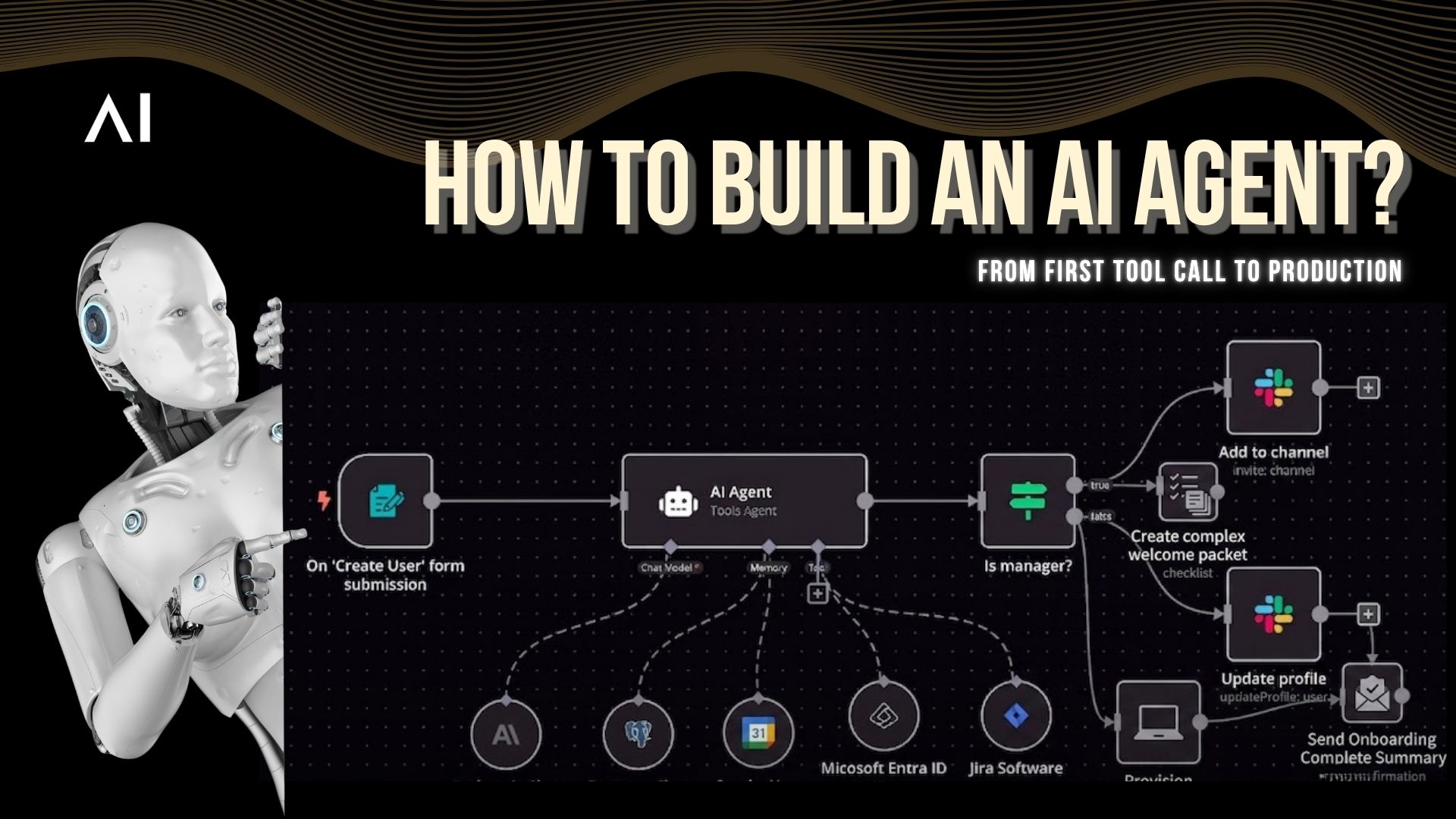
What actually makes something an "agent"
Plenty of things get called AI agents that aren't. A chatbot with a nice prompt is not an agent. An agent is software that can reason about a goal, decide on steps, act using tools, and adapt based on what happens, the sense-decide-act loop, run until the task is done.
So when you set out to build your own AI, you're really assembling four capabilities:
Reasoning, a model that can interpret intent and plan.
Tools, APIs and functions the agent can call to act.
Memory, so it stays coherent across a multi-step task.
Guardrails, so it acts safely and within bounds.
Get those four working together and you have an agent. The rest of this guide is how to build each one, and where the real difficulty hides.
Step 1: Give the agent tools (function calling)
An agent that can't act is just a chatbot. You make it act through function calling: you define a set of tools, each with a name, a description, and an input schema, and the model decides when to call one.
For a simple ai agent workflow with a handful of tools, this is straightforward. The model reads the request, matches it to a tool, fills in the parameters, and calls it. This is the core of every ai agent builder on the market.
But this is also where the gap between a demo and a real system opens up.
Step 2: Solve tool selection at scale
A tutorial agent has five tools. A real one has hundreds, across CRMs, ERPs, ticketing, and databases. Put 300 tool definitions in front of a model and selection accuracy collapses, it picks plausible-but-wrong tools or stalls.
Building for scale means:
Retrieval over your tool catalog, surface only the relevant tools per request instead of loading them all.
Disambiguation between overlapping tools.
Hierarchy, pick a domain, then the specific tool.
This is one of the biggest differences between a hobby project and custom AI agent development for a real business.
Step 3: Add memory and state
Most real tasks are chains, look something up, decide, act, confirm. Your agent needs memory to carry context across those steps: short-term memory for the current task, and longer-term memory (often via RAG over your own data) so it knows your business, not just general facts. Without state, the agent forgets what it did two steps ago and the whole workflow falls apart.
Step 4: Handle failure like an engineer
This is the step tutorials skip and production punishes. Real tools time out, rate-limit, and error. A production agent needs a policy: retry with backoff, fall back to another tool, degrade gracefully, or escalate to a human, and never hallucinate a success it didn't get. For any action that can't be undone (moving money, posting a record), you need safeguards so a retry doesn't double-execute.
Step 5: Build the guardrails
An agent that can call tools can call the wrong one. Before it goes anywhere near real systems, it needs:
Role-based access control, it can only touch tools and data the current user is cleared for.
Verification before sensitive actions, confirm before it executes something consequential.
Defense against prompt injection, a malicious input shouldn't be able to hijack it into a destructive call.
A full audit trail, every action logged and inspectable.
For building effective agents in any serious setting, guardrails aren't the last step, they're what make the agent deployable at all.
What changes when you build for the enterprise
Everything above is how to build an AI agent in general. In a bank or a large enterprise, three constraints reshape the whole project:
Legacy systems. Your agent has to integrate with decades-old SAP and core platforms that don't have clean APIs. Real integration (OData, RFC, BAPI) is often the hardest engineering in the build.
Data can't leave. Sensitive data means the agent frequently has to run on-premise, inside the firewall, not on a public cloud API.
Every action is auditable. In a regulated environment, "the agent did something" isn't enough; you have to prove what, why, and on whose authority.
This is why building a working agent and deploying an enterprise-grade one are different projects. The model is the easy part. The orchestration, integration, and governance are the real work.
From Single Agents to an Agentic OS
Just as a traditional operating system manages applications, memory, and access for a computer, an agentic operating system manages agents.
It coordinates how agents share context, call tools, hand off tasks, and stay within permissions and guardrails.
Once you move beyond a single agent, you are no longer just building agents, you are running them, and an agentic OS provides the orchestration layer.
It is the difference between a handful of scripts that each call an API and a governed system where many agents work together reliably.
For enterprises, an agentic OS handles coordination, memory, and governance, allowing teams to build capabilities on top instead of rebuilding the foundation each time.
Build vs buy?
You can build all of this yourself, and for a contained internal tool, that's reasonable. But for production agents that touch core systems in a regulated business, the engineering, tool orchestration at scale, failure handling, guardrails, on-prem deployment, SAP integration, audit, is substantial and ongoing. This is where an enterprise agent platform earns its place: it gives you the orchestration and governance layer so your team builds on solved infrastructure instead of rebuilding it.
Fluid AI provides exactly that: an agentic platform that runs on-premise, integrates with SAP and core systems through approved patterns, and enforces role-based access, verification, and full audit on every agent action, so you get autonomous agents you can actually put in front of a regulator.
Frequently asked questions
1. How do you build an AI agent?
Give a language model tools (via function calling), memory to hold state across steps, and guardrails to act safely. Then handle the hard parts, tool selection at scale, failure handling, and permissioned execution, that separate a demo from a production agent.
2. What is the difference between an AI agent and a chatbot?
A chatbot only generates text. An agent reasons about a goal, calls tools and APIs to act, remembers context across steps, and adapts, completing tasks rather than just answering.
3. Do I need to build an AI agent from scratch?
For a simple internal tool, you can. For production agents that touch core enterprise systems, most teams build on an agent platform that provides orchestration, integration, and governance, rather than rebuilding that infrastructure.
4. What are the hardest parts of building an AI agent?
Not the first tool call. It's selecting the right tool from hundreds, grounding parameters correctly, handling API failures without hallucinating success, and enforcing security and audit on every action.
5. How do enterprises build AI agents securely?
On-premise or private deployment, role-based access control, verification before sensitive actions, guardrails against prompt injection, and a complete audit trail, so agents act autonomously without losing control.
Where to start?
Start small: one agent, a few well-described tools, a single clear task. Get the loop working, then harden it, scale the tools, add failure handling, lock down permissions. And decide early whether you're building a contained tool or a production system, because the second one is where a platform saves you months.
Building agents for a regulated environment? Book a demo and we'll show how enterprise-grade agents are built and deployed on your systems.
_1790254083168-CB8e8KXC.png)