Inside an AI Agent’s Brain: Planning, Memory, Tooling & Execution Layers Explained Simply

TL;DR
AI agents aren’t just bots following commands — they’re intelligent systems with a brain-like structure. This blog breaks down how the planning, memory, tooling, and execution layers work together to make agentic AI adaptive, context-aware, and capable of autonomous decision-making. It’s a crash course on how modern AI agents think, act, and learn — in simple terms.
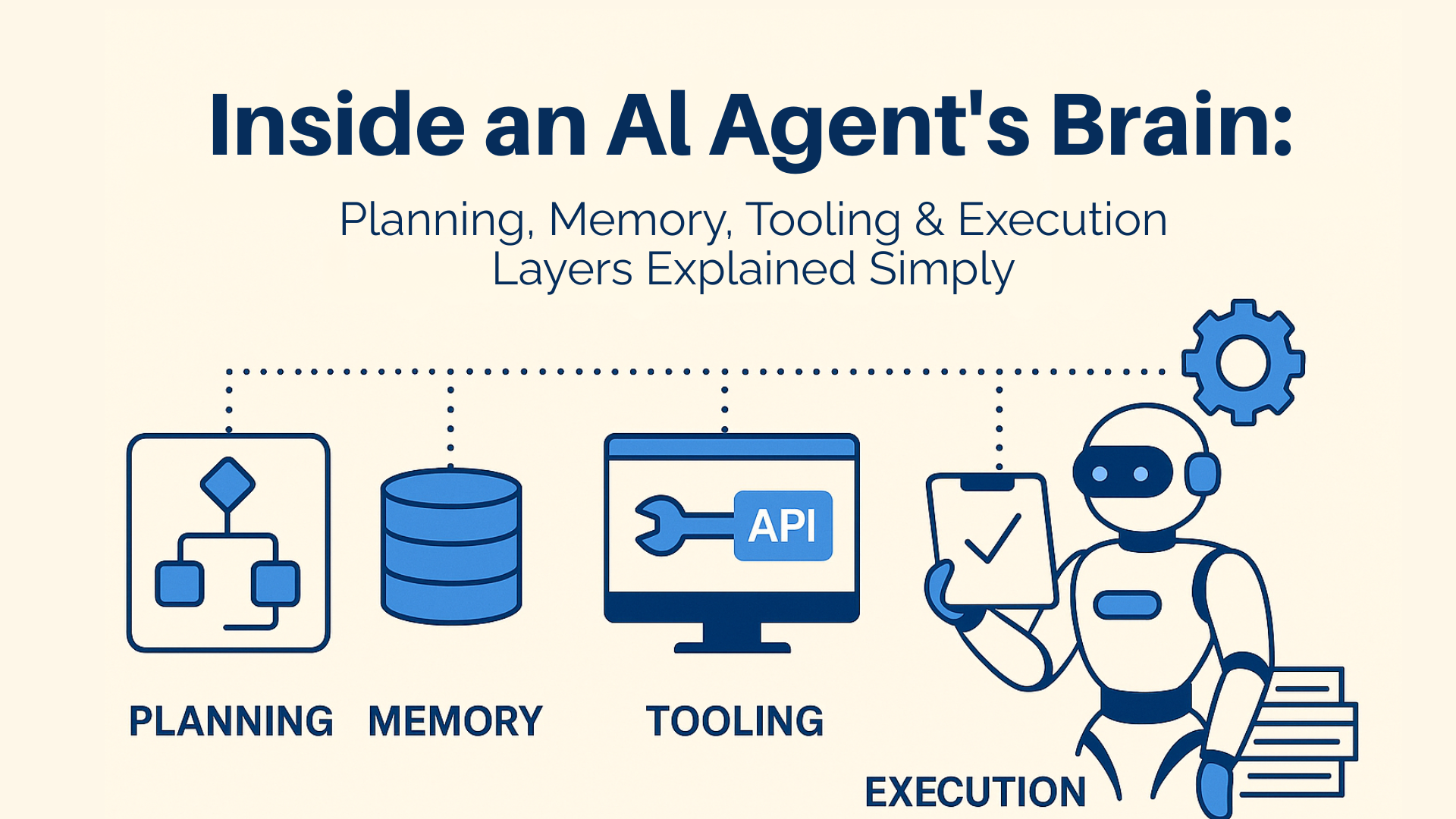
Introduction — What Makes an AI Agent More Than Just a Model?
AI agents are quickly moving beyond simple chatbots or prompt responders. These systems are designed to act autonomously, make decisions, integrate with tools, and complete complex tasks on behalf of users.
But what really happens inside an AI agent’s “brain”? What components allow it to take a goal and turn it into actions — sometimes across multiple systems, workflows, and data sources?
In this article we’ll unpack the four foundational layers that make AI agents smart, adaptive, and capable of real-world tasks:
Planning
Memory
Tooling
Execution
Understanding these layers not only demystifies AI agents — it also helps you better design, deploy, and govern AI workflows in your organization.
What Is an AI Agent? A Quick Definition
At its core, an AI agent is a system that can autonomously pursue goals and complete tasks, using reasoning, planning, memory, and tool integration. Unlike traditional AI models that only respond to queries, AI agents act within an environment or workflow.
They aren’t merely LLMs — they are orchestrators of logic, memory, and actionable steps.
1. Planning: The Strategic Layer
What Planning Means
The planning layer is responsible for turning a high-level goal into a sequence of actionable steps. Think of it as the agent’s strategy engine — similar to how a human breaks a project into tasks before executing them.
According to standard definitions, AI agents perform task decomposition where complex goals are split into manageable sub‑tasks.
Why It Matters
Breaks down ambiguous or large goals into discrete tasks.
Helps the agent decide what to do first and why.
Enables adaptability if priorities or conditions change.
Example:
If an agent is told to prepare a monthly business report, the planning layer will determine routines like gathering data, computing metrics, validating numbers, and generating visual summaries.
2. Memory: The Context & Experience Engine
What Memory Does
Memory lets an AI agent retain, recall, and leverage information from prior actions or interactions. This is crucial for maintaining context over time, supporting multi‑step decision making, and avoiding redundancy.
Unlike short, transactional interactions that many LLMs handle, memory allows agents to persist knowledge from one task to the next.
Types of Memory
Short‑Term Memory
Retains the state of the current task — e.g., remembered variables within a conversation or multi‑step workflow.Long‑Term Memory
Saves historical outcomes, patterns, or preferences that can help with future tasks.
In practical settings, an AI agent that regularly interacts with a CRM or ERP system may recall patterns from past interactions to make future predictions or automate repeatable steps.
3. Tooling: The Bridge to Real‑World Action
What Tooling Means
Tools are the interfaces through which AI agents interact with external systems — from databases and APIs to workflow engines and enterprise software.
Tools allow AI agents to go from thinking to doing, connecting them to the real world.
Examples of Tools AI Agents Use
APIs — to fetch or send data across platforms.
Data stores — reading from and writing to structured systems like SQL or NoSQL.
Custom functions — pre‑built workflows or automation scripts.
Workplace system connectors — linking to HR, ERP, CRM, or finance systems.
Without tooling, agents can reason but not act. With tools, they can complete real business tasks — for example extracting financial data, assembling reports, or updating records automatically.
4. Execution: Carrying Out the Plan
Execution Layer Explained
Once the agent has a plan, context from memory, and access to tools, it needs a mechanism to do the work. That’s where execution comes in.
In the execution layer:
Ordered steps from planning are run.
Tools are invoked to perform actions.
Errors are handled or raised.
Results are fed back to the agent.
This is similar to an action phase in any workflow — once you decide what and how, execution makes it happen.
Execution is essential for:
Timing tasks
Interacting with external workflows
Ensuring actions are auditable and repeatable
How These Four Layers Work Together
Think of an AI agent like a collaborative team member:
Planning sets strategy
Memory gives context and continuity
Tooling provides capabilities
Execution does the work
When these are well‑orchestrated, agents can take on multi‑step tasks with autonomy — and even recover or adapt when conditions change.
It’s this layered interplay that allows agents to go beyond simple question‑answers and truly complete workflows.
Real‑World Relevance — Why This Matters Today
Enterprise use cases are no longer limited to simple automation scripts. Modern AI agents are being used to:
Manage complex workflows end‑to‑end
Integrate disparate data systems
Learn from past interactions to avoid repetitive mistakes
Act on behalf of users with minimal supervision
This evolution aligns with how practitioners are defining advanced agent architecture in 2025 — placing planning, memory, and tool integration at the center of practical agent design.
While there remains some debate about what constitutes true autonomy in AI agents, the growing adoption of layered architectures shows a clear trend toward more intelligent, integrated systems.
Benefits of Layered AI Agent Architecture
Here’s why breaking down an AI agent by these layers matters:
Clarity of design — Better understanding of where intelligence happens.
Improved outcomes — Memory and planning reduce redundant tasks.
Scalable automation — Tools make agents useful across systems.
Maintainability — Separate layers mean easier debugging and governance.
These principles help enterprises transition from ad‑hoc AI experiments to robust, production‑ready automation frameworks.
Common Misconceptions About AI Agents
Now that you understand the internal layers, it’s worth clearing up a few common misunderstandings:
AI agents aren’t just “smart chatbots.”
They combine planning, memory, and tooling to act autonomously in real workflows.They do not automatically replace humans.
Human oversight and governance remain key to safe and ethical operation.Layered design isn’t optional.
Without distinct modules, agents tend to behave unpredictably or fail at complex tasks.
How to Get Started with AI Agents in Your Organization
Here’s a practical path forward:
Start with a clear, narrow goal.
Pick a specific workflow to automate (e.g., report generation, data consolidation).Define planning logic.
Break down desired outcomes into steps the agent should take.Establish memory use cases.
Identify what context or history must be retained across tasks.Map tools and integrations.
Ensure APIs, databases, and systems are accessible.Build and Test Execution routines.
Test with safe environments and monitor results.Iterate and refine.
Use feedback to enhance planning, memory, or tooling logic.
This step‑by‑step approach lets you scale simplistically and safely while leveraging true agent intelligence.
Conclusion — Understanding the Brain Helps You Build Better Agents
AI agents are powerful because they combine multiple capabilities — planning, memory, tooling, and execution — into an intelligent system that can observe, decide, and act. This layered architecture is essential for creating autonomous systems that are reliable, scalable, and practical for real business workflows. Prompting Guide
By understanding how these layers fit together, you’re better equipped to design AI implementations that deliver value — whether you’re automating processes, enhancing productivity, or building next‑generation autonomous systems.
Frequently Asked Questions (FAQ)
1. How does an AI agent actually work?
An AI agent has four core layers: planning (breaks the goal into steps), memory (retains context across steps), tooling (calls APIs and enterprise systems), and execution (completes actions and validates outcomes). Fluid AI's enterprise agents run on this architecture optimised for BFSI workflows.
2. What makes an AI agent reliable for enterprise use?
Robust error handling, retry logic, escalation paths, and stable integrations. Fluid AI's agents are production-tested across 60-plus enterprise deployments, handling millions of transactions monthly with uptime SLAs built for banking-grade reliability.
3. Can AI agents remember context across a long conversation or workflow?
Yes. Fluid AI's agents maintain session memory across a workflow, carrying customer identity, prior decisions, and intermediate outputs without asking the customer to repeat information at each step.
4. Is an AI agent the same as a chatbot?
No. A chatbot answers questions. An AI agent takes actions - it retrieves data, makes decisions, calls systems, completes transactions, and hands off to humans when needed. The distinction matters for enterprises looking to automate workflows, not just answer FAQs.
5. How do AI agents access enterprise tools without exposing sensitive data?
Through secure API layers with role-based permissions and encrypted data transfer. Fluid AI supports on-premise deployment so agents operate entirely within the enterprise perimeter - no sensitive data leaves the client's infrastructure.
_1790254083168-CB8e8KXC.png)